Turn web animation into video.
Render CSS, GSAP, Framer Motion, Three.js and canvas to MP4, frame by frame. There is no new animation API to learn.
new · experimental Need speed? A browser-free renderer that beat fframes in 6 of 7 measured lanes.$ npx @helios-project/cli init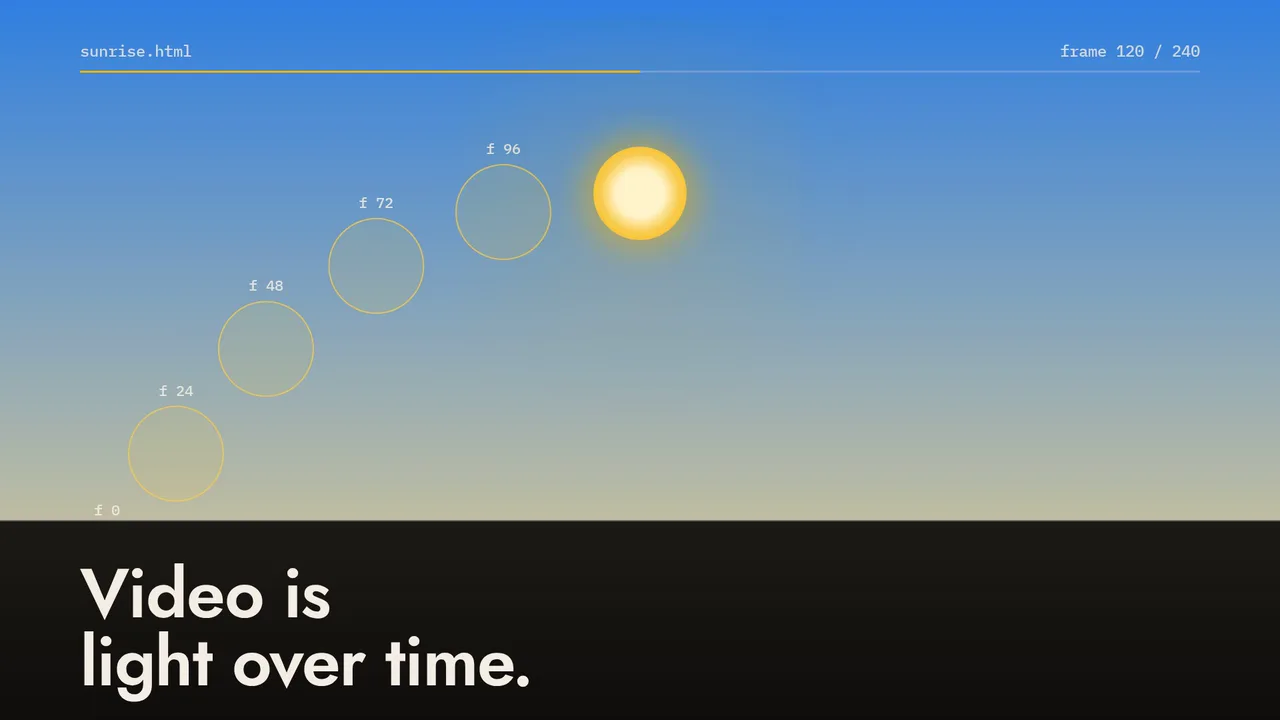
<helios-player> playing sunrise.html, plain CSS @keyframes. Step with ← →. Edit the title: it arrives as inputProps, the way you’d render one video per customer.- License
- Free for commercial use (ELv2)
- Write in
- Any framework, or plain HTML
- Renders
- Headless Chromium, or no browser
- Status
- Beta · monthly releases
If a browser can draw it, Helios can film it.
Every film here was rendered by the Helios CLI from a web page you can open and read. The stack is named on each one.
How it compares
Remotion is the incumbent, and a good one. Helios makes a different bet: let the browser animate, and only control the clock.
| Question | Helios | Remotion | fframes |
|---|---|---|---|
| You write | Any web page: CSS, GSAP, Framer Motion, Three.js, canvas; any framework or none | React components | Rust & SVG |
| Renders on | Headless Chromium (npm), or a browser-free native renderer on CPU or Apple GPU (experimental, from source) | Your infrastructure; server- and client-side rendering | GPU |
| Determinism check | helios verify renders frames forwards and backwards and names any that differ | Not stated on its home page | Not stated on its home page |
| Coding agents | Agent skills, plus an MCP server with an in-chat player | Agent Skills | Agent skill |
| Cost for a 10-person company | Free (Elastic License 2.0) | Company License: $25 per seat a month, or $0.01 per render with a $100 monthly minimum | No license or pricing on its home page |
| Maturity | Beta | Established: 62k GitHub stars, 300+ customers | Not stated on its home page |
Remotion and fframes columns use only what their home pages said on 7 October 2026. Where Remotion leads today: maturity, a large ecosystem (5M+ installs a month, per its home page) and rendering on AWS Lambda.
Write it the way you already animate.
A Helios video is a web page. Helios owns the clock and the browser does the animating. Each tab is the real source of a film on this page.
const rows = d3.csvParse(await (await fetch('./data/global-temp.csv')).text(), d3.autoType);const bars = svg.selectAll('rect').data(rows).join('rect').attr('x', (d) => x(d.year)).attr('width', x.bandwidth()).attr('fill', (d) => colour(d.temp)); helios.subscribe(({ currentFrame, fps }) => {const shown = progress(currentFrame / fps) * rows.length;bars.each(function (d, i) {const v = d.temp * d3.easeCubicOut(clamp(shown - i));d3.select(this).attr('y', Math.min(y(0), y(v))).attr('height', Math.abs(y(v) - y(0)));});});const helios = new Helios({ duration: 15, fps: 30 });const tl = gsap.timeline({ paused: true }); tl.from('.title .w', { yPercent: 115, duration: 0.75,stagger: 0.07, ease: 'power3.out' }, 0.35).from('.dock', { opacity: 0, x: 60, duration: 0.6 }, 8.6); // Helios owns the clock; GSAP draws each frame.helios.subscribe(({ currentFrame, fps }) => {tl.seek(currentFrame / fps);// The logo seeks too: one ray every two frames.rays.forEach((r, i) => (r.style.opacity = i < currentFrame / 2 ? 1 : 0));});helios.bindToDocumentTimeline();window.helios = helios;/* Every moving thing is a CSS animation. */.sun {offset-path: path("M 160 860 C 520 100, 1400 100, 1760 860");animation: travel 8s linear both;}@keyframes travel { to { offset-distance: 100%; } } .sky { animation: daylight 8s ease-in-out both; }@keyframes daylight { 50% { --top: #2f7fe0; --low: #f6d58a; } } <script type="module">// Helios is only the clock. It seeks the animations above.window.helios = new Helios({ duration: 8, fps: 30, autoSyncAnimations: true });</script>const helios = new Helios({ duration: 10, fps: 30 });helios.bindToDocumentTimeline();window.helios = helios; function draw(frame) {const d = frame / (10 * 30); // 0 → 1 across the dayconst ang = Math.PI * (0.02 + d * 0.96); // sun from east to westsun.position.set(Math.cos(ang) * 90, Math.sin(ang) * 46 + 2, -60);sun.color.copy(skyAt(d).sunColour);camera.position.set(Math.sin(-0.55 + d * 0.8) * 78, 17 - d * 3, 78);renderer.render(scene, camera);}helios.subscribe(({ currentFrame }) => draw(currentFrame));<canvas id="c" width="1920" height="1080"></canvas><script>// No Helios import. The renderer calls renderAt(t) once per frame.window.renderAt = (t) => {gl.uniform1f(uTime, t); // the shader is a function of tgl.drawArrays(gl.TRIANGLES, 0, 3);};</script> $ helios render corona.html --duration 8 -o corona.mp4// src/components/Title.tsx in a project from `helios init -f react`import { useEffect, useRef } from 'react';import { helios } from '../helios'; export default function Title() {const ref = useRef<HTMLHeadingElement>(null);useEffect(() => helios.subscribe(({ currentTime }) => {const o = Math.min(currentTime, 1);ref.current!.style.opacity = String(o);ref.current!.style.transform = `translateY(${(1 - o) * 20}px)`;}), []);return <h1 ref={ref}>Hello Helios!</h1>;}Drive the browser. Don’t simulate it.
Browsers already have a superb animation engine. Helios tells it what time it is, one frame at a time, so the frame you preview is the frame in the MP4.
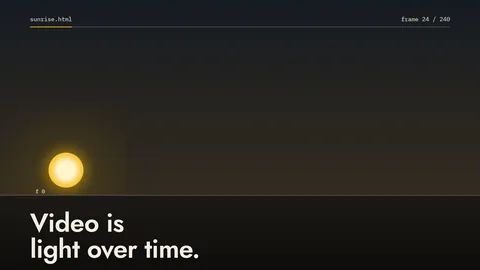 f 24 t = 0.800 s
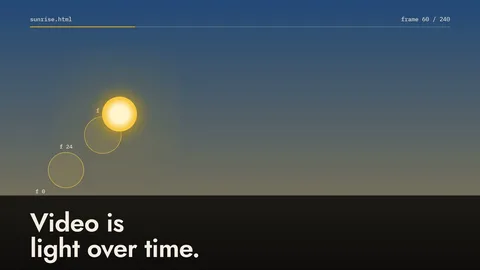 f 60 t = 2.000 s
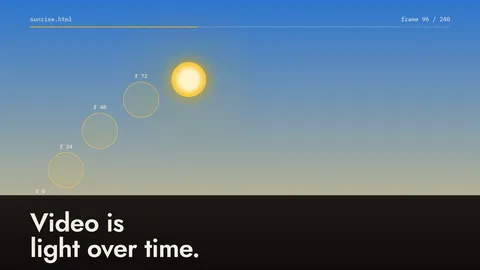 f 96 t = 3.200 s
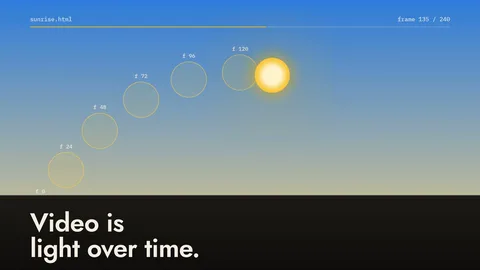 f 135 t = 4.500 s
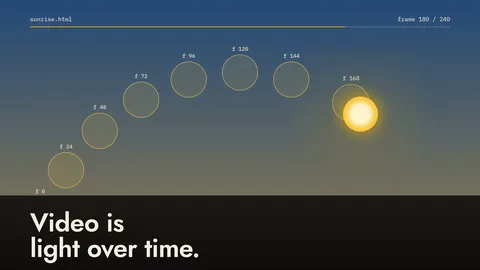 f 180 t = 6.000 s
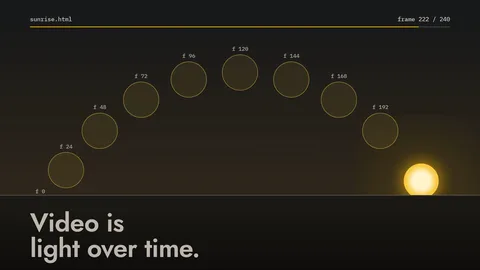 f 222 t = 7.400 s
sunrise.mp4. Each is the page seeked to its exact time; none depends on the frame before it, which is what helios verify checks. Download the 1080p MP4.- t = n ÷ fps
Set the clock
Inside headless Chromium, performance.now(), Date.now() and requestAnimationFrame read virtual time. Math.random() is seeded.
- seek(t)
Seek everything
CSS and Web Animations, GSAP timelines, <video> and <audio> move to exactly t, after fonts and media load.
- capture
Capture the frame
DOM mode screenshots the page, so anything the browser draws works. Canvas mode reads the <canvas> directly.
- ffmpeg
Encode
Frames pipe in memory to FFmpeg (bundled with the CLI) and come out as H.264 MP4, audio mixed in.
Portable renderer · experimental · build from source, not on npm
Or skip the browser entirely.
Helios also has a native renderer with no Chromium in the loop. Hand it a Canvas module or a JSON scene plan and it draws each frame with Skia, encodes, and verifies the MP4. Same frame-exact model, much less overhead.
Browser renderer
Any web page: CSS, GSAP, Framer Motion, Three.js, React. Headless Chromium captures each frame.
22.7 s for the CSS sunrise in the hero
Portable renderer
Canvas 2D modules or portable-v1 scene plans. Native Skia on CPU, or Metal + VideoToolbox on Apple-silicon Macs. No Chromium, no system fonts, no network.
7.0 s for the same 8 s, 1080p sunrise in Canvas
// sunrise-native.mjs: no DOM, no CSS, no browser.export default {width: 1920, height: 1080, fps: { num: 30, den: 1 }, frameCount: 240,fonts: { display: jostBytes, mono: plexMonoBytes }, // explicit font bytesdraw(ctx, frame) { // a pure function of the frameconst [x, y] = arc(frame.index / 239);ctx.beginPath(); ctx.arc(x, y, 70, 0, Math.PI * 2);ctx.fillStyle = sun; ctx.fill();},}; // render.mjsimport { renderCanvasModule } from '@helios-project/portable';await renderCanvasModule('./sunrise-native.mjs', 'out.mp4', { concurrency: 2 });Timed on a no-GPU Linux VM pinned to 2 vCPUs: median of three alternating rounds, whole command to a verified MP4, both with x264 ultrafast (3.2× for this one scene). The two versions draw the scene differently (CSS animations vs Canvas 2D), so they look alike but aren’t pixel-identical. Native source.
What it doesn’t do
No DOM or CSS layout, no JavaScript inside plans, no springs or browser animation APIs, and existing HTML or React compositions aren’t converted: they keep the browser renderer. It’s an unpublished workspace package: build it from the Helios repo. The GPU lane is macOS arm64 only.
Portable renderer · experimental · measured, with receipts
Ahead of fframes in 6 of 7 lanes. Ahead of Remotion in all 5.
The browser-free portable renderer against fframes and Remotion: CPU on an M3 Pro and on a small Linux VM, GPU on an M3 Pro. Method, raw receipts and failed attempts are all published.
GPU · Apple M3 Pro
| M3 Pro GPU4K circles, fframes’ showcase scene · task adaptersSerial adapters into a common 300 Mbps H.264 converter. Not fframes’ own concurrent product pipeline (whose outputs failed the quality floors), and not comparable with its published M5 Max 7.2 s. | 21.1 s81.7 sRemotion not in this lane | 3.87× fframesstudy |
|---|---|---|
| M3 Pro GPUGPU raster + matched software x264 | 26.6 s31.1 s47.1 s | 1.17× fframes1.77× Remotionstudy |
| M3 Pro GPUHardware-encode pipelines (VideoToolbox)fframes exported faster in all four pairs. Different bitrate (100 vs 180 Mbps), colour and concurrency; the 0.46% delivered difference names no winner. | 6.29 s5.72 sRemotion not in this lane | fframes ahead on exportstudy |
CPU · M3 Pro and a 2-CPU Linux VM
| M3 Pro CPUTextGrid 1080p · x264 ultrafast | 4.21 s7.36 s18.2 s | 1.75× fframes4.31× Remotionstudy |
|---|---|---|
| M3 Pro CPUTextGrid 1080p · x264 medium | 12.0 s15.2 s24.0 s | 1.27× fframes2.00× Remotionstudy |
| Linux VM, 2 logical CPUsTextGrid 1080p · x264 ultrafast | 20.7 s39.3 s60.0 s | 1.90× fframes2.90× Remotionstudy |
| Linux VM, 2 logical CPUsTextGrid 1080p · x264 medium | 69.2 s92.0 s152 s | 1.33× fframes2.20× Remotionstudy |
CPU, 1080p TextGrid: 1.75× / 1.27× fframes’ speed on an M3 Pro (ultrafast / medium), 1.90× / 1.33× on a 2-CPU Linux VM; Remotion 4.31× to 2.20× slower. Full table
Read within each configuration. All timings are Helios’s experimental portable renderer (not the npm browser renderer) on one TextGrid workload (3,334 animated labels, 300 frames) unless named. GPU lanes are Apple M3 Pro, macOS arm64 only. Each engine is checked every frame against its own lossless reference; cross-engine pixel identity isn’t claimed. No general “fastest renderer” or end-to-end zero-copy claim is made.
Your agent writes it. Helios renders it.
Agents already write HTML and CSS well, which is all a Helios video is. The skills teach the rest: draw every frame from its time, check the frames, render. Six guided video types, from launch announcement to social cut, plus 24 visual styles, cartoons, music videos and genre recipes. See what agents made with them.
- 01
Add the skills
$ npx skills add BintzGavin/helios - 02
Ask for one of six kinds of video
- Launch announcement
- Promo
- Explainer
- Product demo
- Testimonial
- Social cut
- 03
Preview, then render, in the chat
helios mcpruns locally. In Claude, ChatGPT and other MCP Apps hosts the agent opens a player beside its reply. Claude Desktop has a one-file extension on the latest release.
Make a 15-second launch video for this project
Here’s a first cut. Scrub it, or click anything you want changed.› preview_video
Make the title slower
Slowed to 1.2 s and re-checked the frames.› get_frames · verify_video

# Claude Code$ claude mcp add helios -- npx -y @helios-project/cli@latest mcp # Codex and ChatGPT desktop$ codex mcp add helios -- npx -y @helios-project/cli@latest mcpHelios is a deterministic renderer: it calls no generative model. Tools: preview_video, get_frames, verify_video, render_video.
Free for commercial use. Here’s the whole deal.
Source-available under the Elastic License 2.0. No seats, no per-render fees, at any team size. The one thing you can’t do is sell Helios itself as a hosted service.
| Can I… | Answer | Details |
|---|---|---|
| Use it at a company of any size | Yes | No seats, no per-render fees, no render limits. |
| Sell products and videos made with it | Yes | Client work, ads, launch videos, anything you render. |
| Build a SaaS that renders videos for your customers | Yes | Video editors, generation tools, white-label platforms, Helios embedded in your app. |
| Fork it, modify it, redistribute it | Yes | Keep the license and copyright notices. |
| Offer Helios itself as a hosted or managed service | No | Reselling Helios rendering as infrastructure. Ask about a commercial license. |
Read the license. Questions, or a license to offer Helios as a service: me@gavinbintz.com, the maintainer.
Start in one command.
Scaffold React, Vue, Svelte, Solid or vanilla TypeScript, or add Helios to a page you already have. Node.js 18+. The first render downloads a matching headless Chromium; FFmpeg comes with the CLI.
New project
$ npx @helios-project/cli init my-video$ cd my-video && npm install$ npm run dev # opens Helios Studio$ npx @helios-project/cli render ./index.html -o out.mp4Preview in your app
<helios-playersrc="/videos/welcome.html"input-props='{"title":"Welcome, Ada"}'controls autoplay muted></helios-player>A web component with a <video>-like API: play(), currentFrame, and in-browser export to MP4 or WebM.
One video per customer
import { Renderer } from '@helios-project/renderer'; for (const user of users) {const renderer = new Renderer({width: 1920, height: 1080, fps: 30, durationInSeconds: 8,inputProps: { title: `Welcome, ${user.name}` },});await renderer.render(url, `out/${user.id}.mp4`);}Long renders split into chunks that run in parallel and join without re-encoding. Cloud adapters (Lambda, Cloud Run and more) are experimental.
- Output
- H.264 MP4 at any size and frame rate; MP4 or WebM from the in-browser player
- Audio
- A soundtrack, several tracks with volume, or the page’s own
<audio>and<video> - Runs on
- Node.js, headless Chromium and FFmpeg, locally or in Docker
- Limits
- The npm renderer needs Chromium; the browser-free renderer is experimental and source-only. Beta APIs can change.